START HERE
3. Your first route
Research markets, plan a route with its times and fares, and fill the aircraft's week.
This is part 3 of the walkthrough. Pennine Air's ATR 42 is at Manchester with no flights.
Step 1: Open the markets
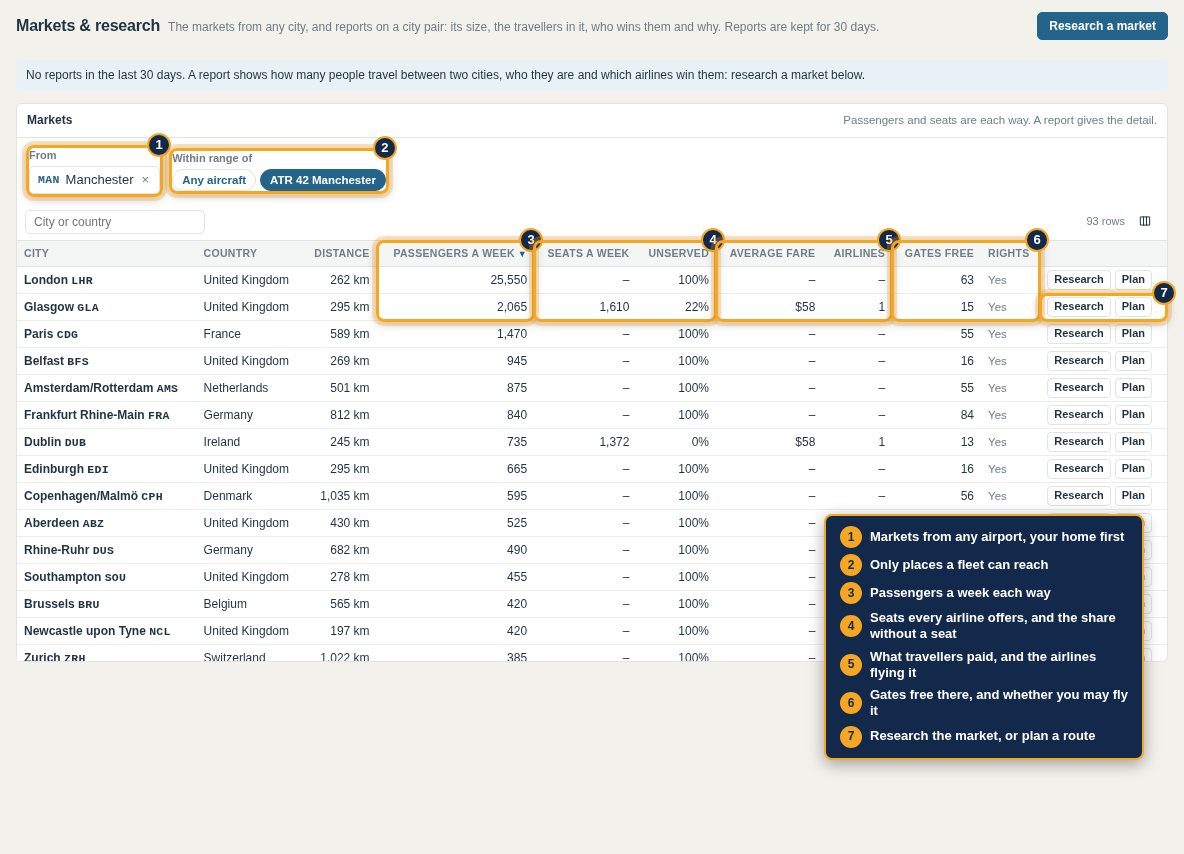
Go to Markets & research. Markets lists every city you could fly to from an airport, your home first. Choose a fleet under Within range of to see only where it can reach.
| Column | Shows |
|---|---|
| City and Country | Where; markets are cities, so London covers Heathrow, Gatwick and London's other airports |
| Distance | Between the cities |
| Passengers a week | Travellers each way |
| Seats a week and Unserved | Seats every airline offers nonstop each way, and the share of travellers without one |
| Average fare and Airlines | What travellers paid, and the airlines selling the market |
| Gates free and Rights | Gates to lease at the other end, and whether you may fly it; hover over or tap a badge for why not |
Sort by any column. Each row has Research and Plan.
From Manchester, London is by far the biggest market, about 3,200 travellers a day each way, and no airline flies it nonstop. Glasgow has about 300 a day each way, flown by Thistle Airways twice a day.
Step 2: Research a market
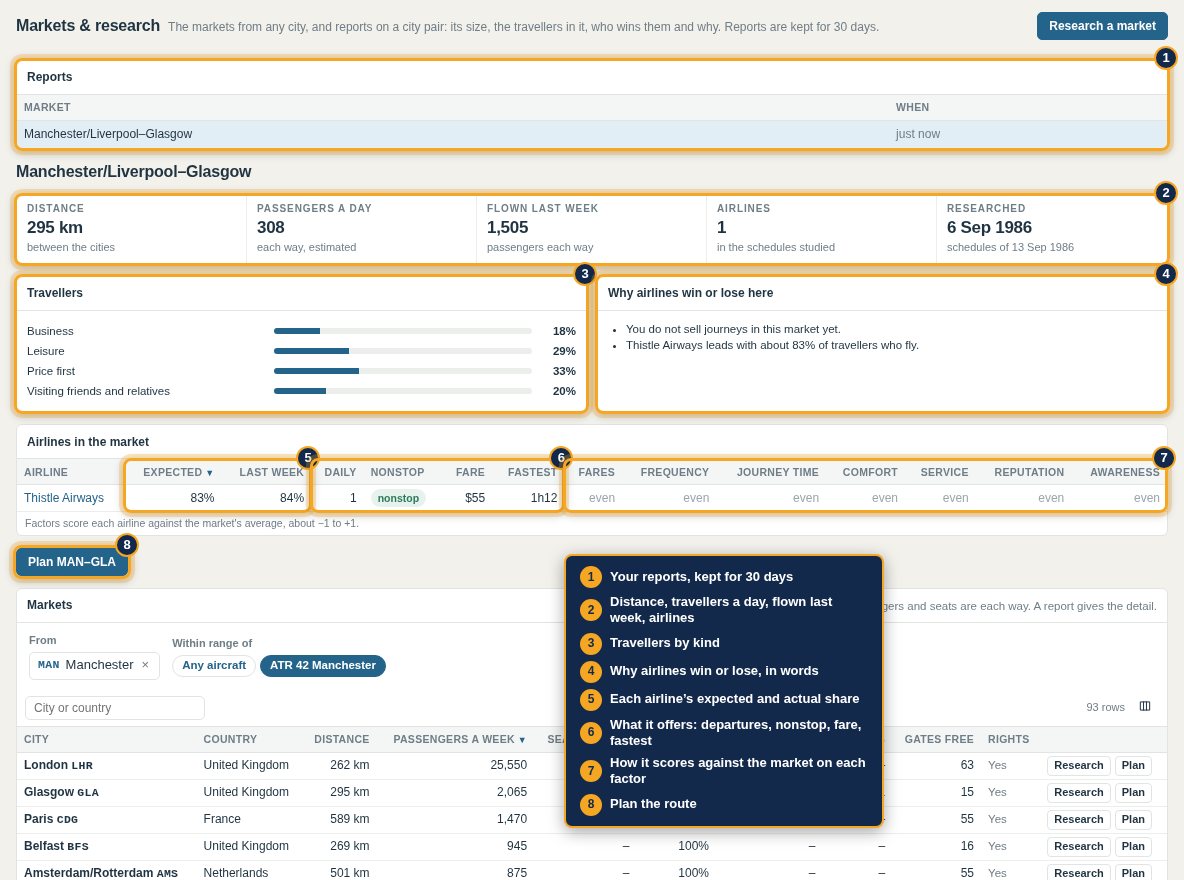
Research commissions a report on a city pair, paid from marketing; reports are kept 30 days. A report shows:
- Distance, travellers a day both ways, journeys flown last week and how many airlines sell it.
- Travellers by kind: business, leisure, price-first and visiting friends and relatives. Business travellers value frequency and comfort; price-first travellers take the cheapest fare.
- Airlines in the market: each one's expected and actual share, departures a day, whether nonstop, fare and fastest journey, and how it scores against the market on fares, frequency, journey time, comfort, service, reputation and awareness.
- Why airlines win or lose here, in words.
Adding seats does not create travellers: these are the people who want to travel.
Step 3: Plan the route
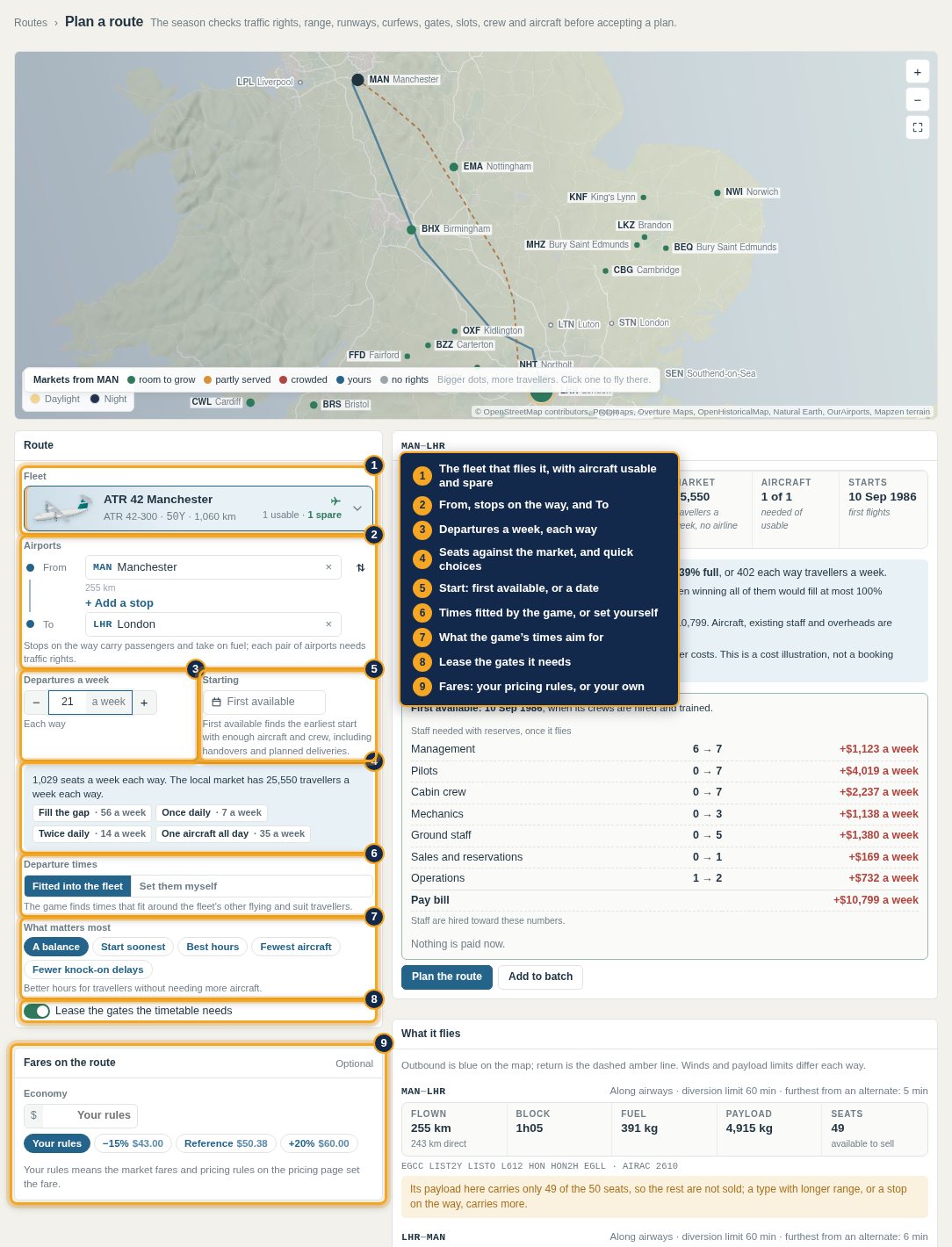
Press Plan on a market, or open Route planner. On the left:
- Fleet: the fleet that flies it, with its aircraft usable, on order and spare.
- Airports: from, any stops on the way, and to.
- Departures a week each way, with the seats they offer against the market and quick choices: Fill the gap, Once daily, Twice daily, One aircraft all day.
- Starting: first available, in two or four weeks, or a date.
- Departure times: fitted into the fleet's flying by the game, or set yourself, and what the game's times aim for.
- Lease the gates the timetable needs, on by default.
- Fares on the route: your pricing rules, or a fare for each class.
Step 4: Read what it would do
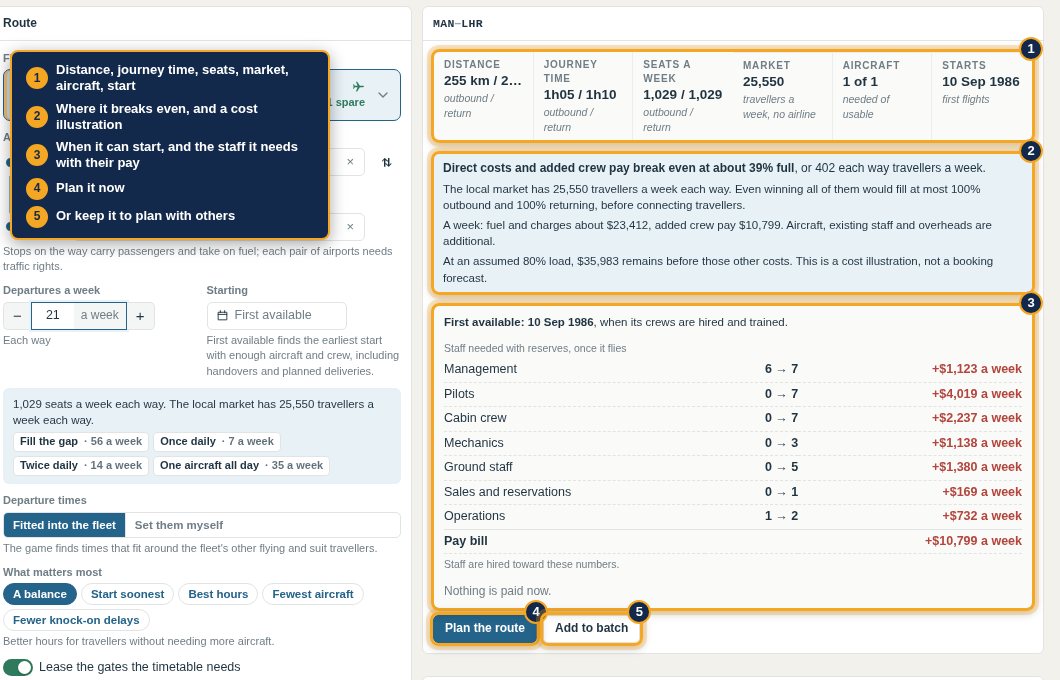
On the right:
- At a glance: distance and journey time each way, seats a week, the market, aircraft needed against usable, and the start date.
- Where it breaks even, against what the market could fill, with a cost illustration.
- When it can start, and the staff it needs hired and trained, with their pay.
Plan the route sends it; Add to batch keeps it to send with others, for routes that only work together. If it cannot be planned, the planner says why and offers a fix where there is one, such as starting after the next aircraft arrives.
Step 5: See the path it flies
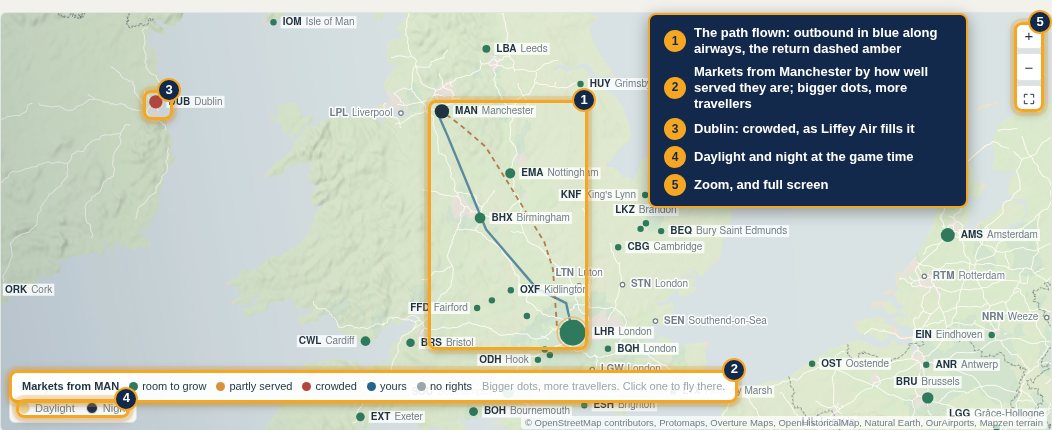
The map draws the path the aircraft would actually fly, outbound and return, along with your home's markets coloured by how well served they are; bigger dots have more travellers. Daylight and night follow the game time.
Step 6: What it flies
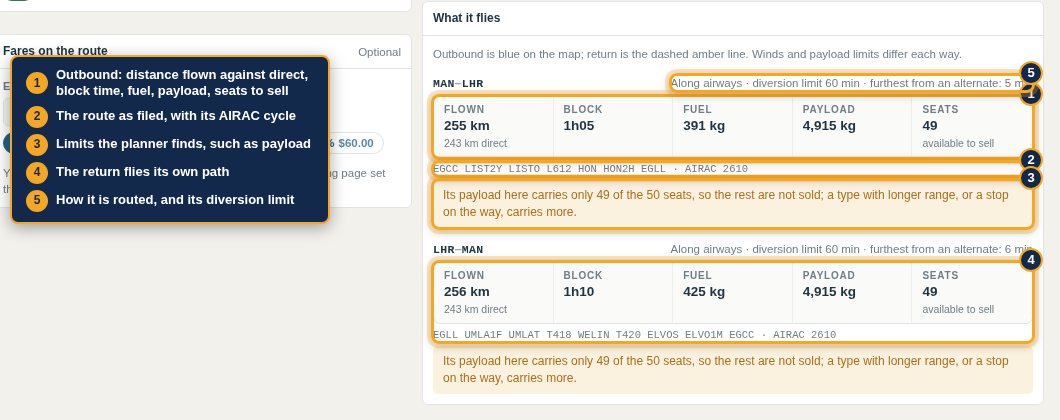
Every route is planned by Foley Charts: out by a departure procedure, along airways, in by an arrival procedure. For each direction the planner shows the distance flown against the direct line, block time, fuel, payload, the seats it can sell, and the route as filed with its AIRAC cycle. A route can fly differently each way. Limits it finds are spelled out, such as payload that leaves seats unsold.
Step 7: The week it makes
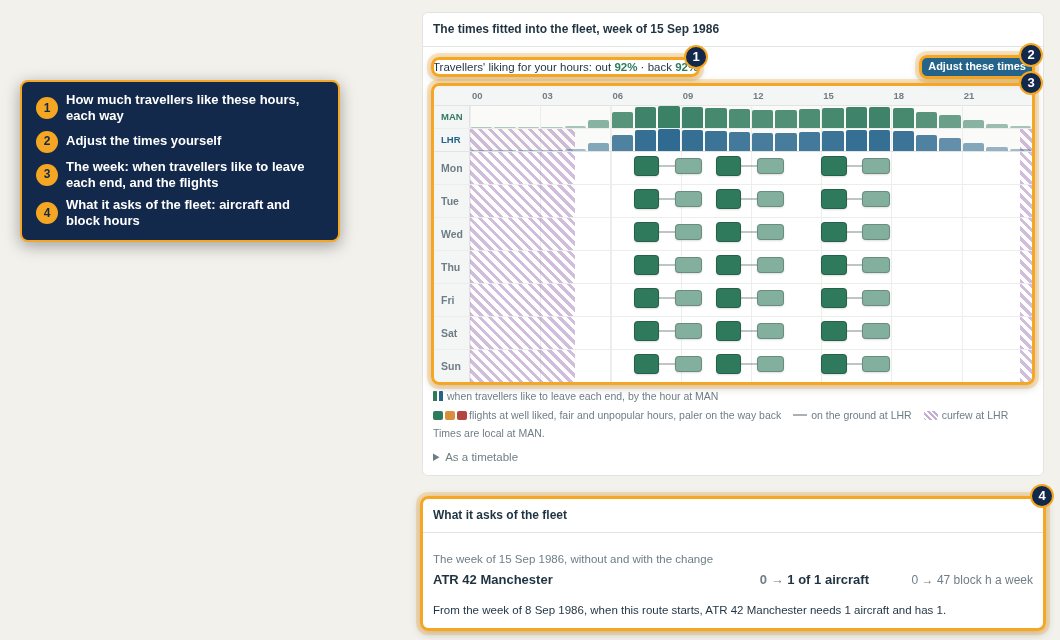
Below, the planner shows the week: when travellers like to leave each end, the flights it fits, how much travellers like those hours each way, and what the route asks of the fleet in aircraft and block hours. Adjust the times lets you move them yourself.
Pennine Air plans Manchester–London three times a day, 21 departures a week, leaving Manchester at 07:00, 10:30 and 15:00. It flies 255 km along airways against 243 km direct, 1 h 05 out and 1 h 10 back. The ATR's payload on this route carries 49 of its 50 seats, so 49 are sold. First flights: 10 September 1986.
Step 8: Your route is on sale
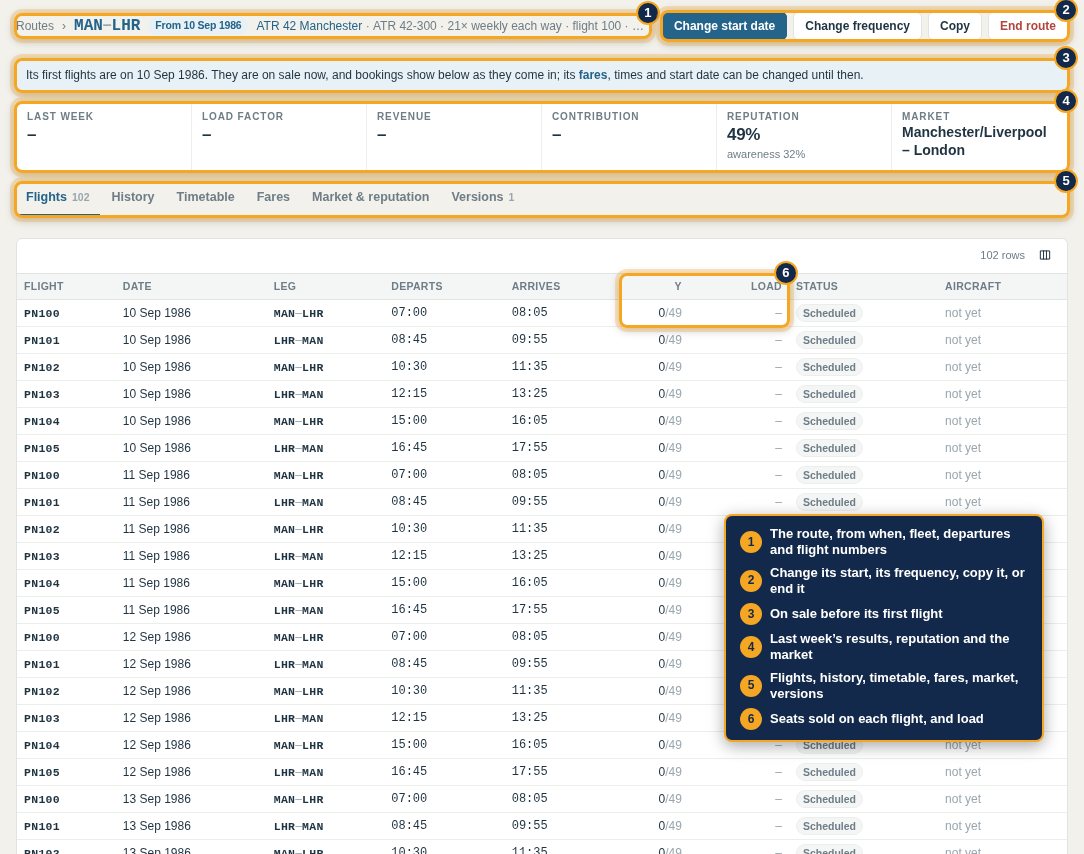
The route goes on sale at once and opens on its own page: its start, fleet, departures and flight numbers; buttons to change its start, its frequency, copy it or end it; last week's figures; and tabs for Flights, History, Timetable, Fares, Market & reputation and Versions. Its flights fill as travellers book.
Step 9: Gates and slots
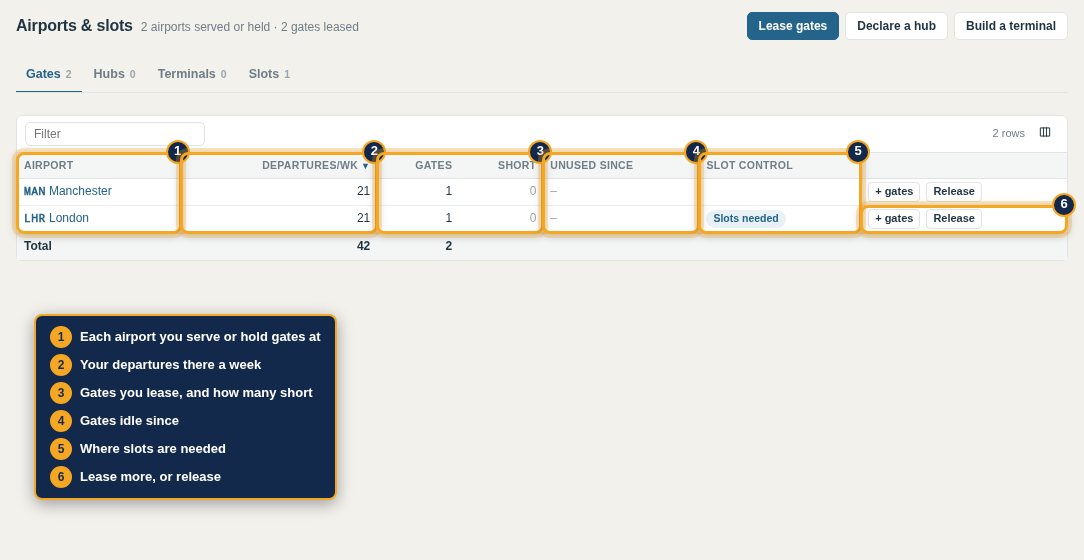
The planner leased a gate at each end. Airports & slots lists every airport you serve with your departures there, gates leased, gates short and gates idle, and where slots are needed. Rent is charged monthly for the days held and rises as an airport fills.
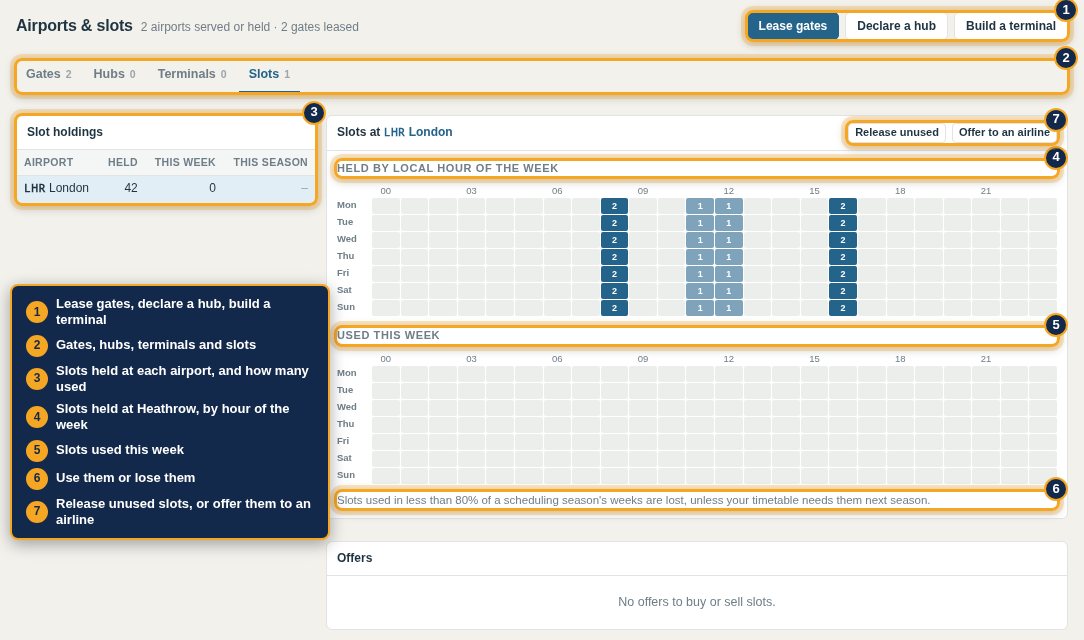
At slot-controlled airports such as Heathrow, the planner also took the slots its flights need. The Slots tab shows them by local hour of the week. Slots used in less than 80% of a scheduling season's weeks are lost.
Step 10: Fill the aircraft's week
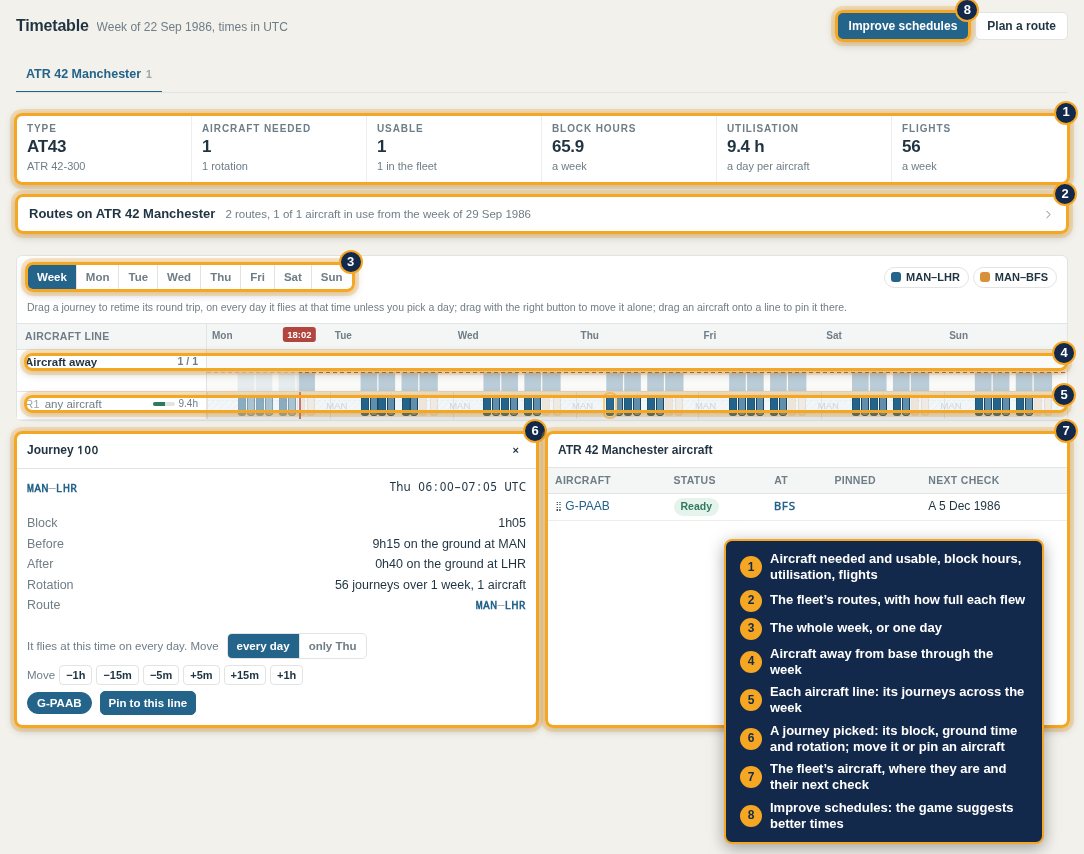
An aircraft costs its rent, insurance and much of its crew whether it flies or not, so plan until its week is close to full. Timetable shows each fleet: aircraft needed against usable, block hours, utilisation and flights; its routes with how full each flew; aircraft away from base through the week; and each aircraft line as a row across the days. Pick a journey to see its block, ground time and rotation, move it, or pin an aircraft to it. Improve schedules suggests better times for the whole fleet.
The game keeps room for maintenance on its own, and chains flights into rotations as long as each aircraft ends up where its next flight leaves. Flights → Position an aircraft sends one somewhere empty.
Pennine Air adds Manchester–Belfast once a day in the evening, out at 18:30 and back at 20:30, from 15 September. The ATR now flies 56 flights and 66 block hours a week, 9.4 hours a day.
Next: Your first months.