NETWORK
Routes & timetables
Planning routes, the paths they fly, timetables, improving schedules and changing routes.
Planning a route
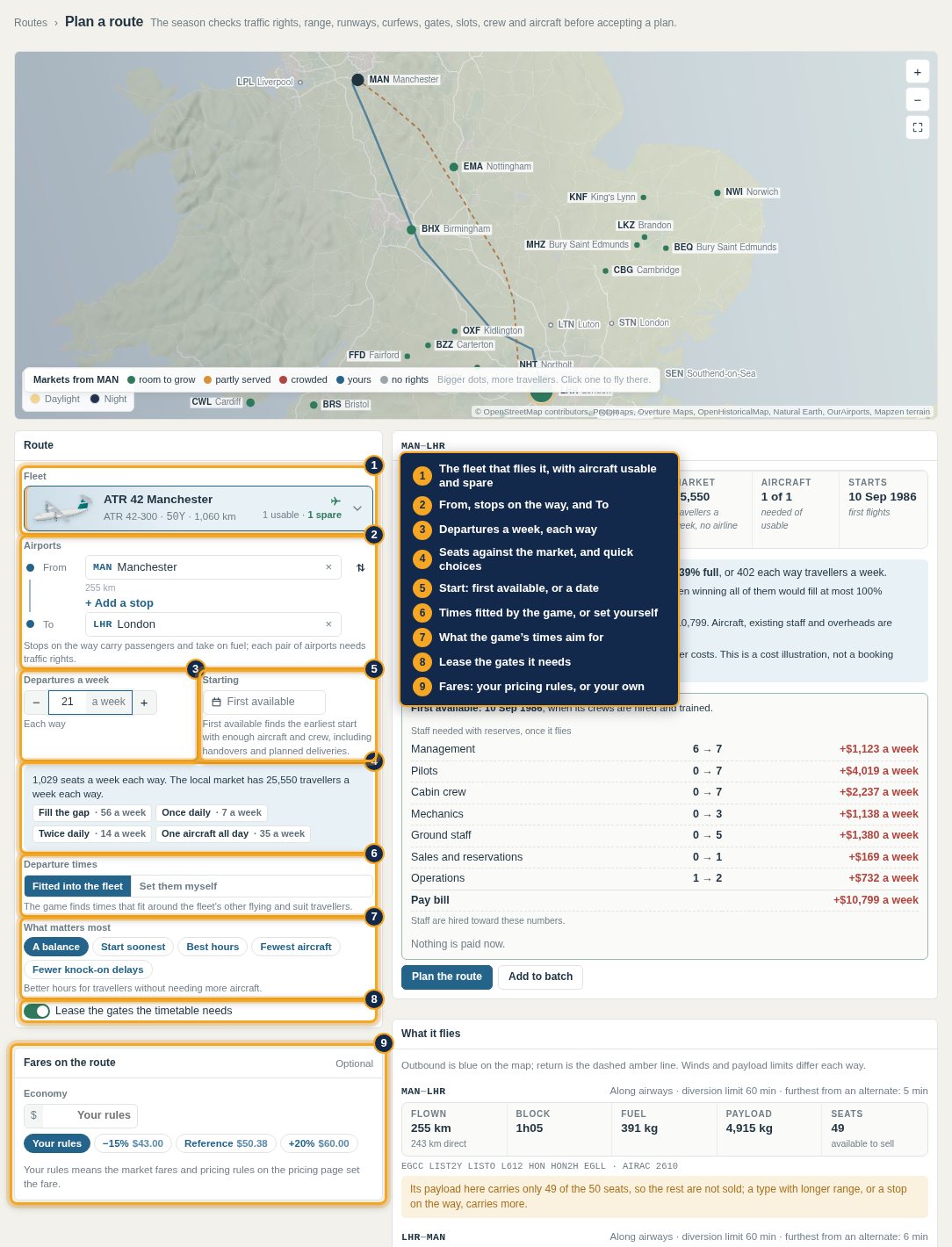
A route sets the fleet, the airports and any stops, departures a week, times and fares. Before it is accepted the planner checks traffic rights between every pair of its airports, range, runways (length, width, elevation and heat), curfews, gates, slots, crews and aircraft, and says what fails and how to fix it. Stops can carry passengers or take on fuel. Payload limits are counted: a route that cannot carry a full cabin sells only the seats it can.
The path flown
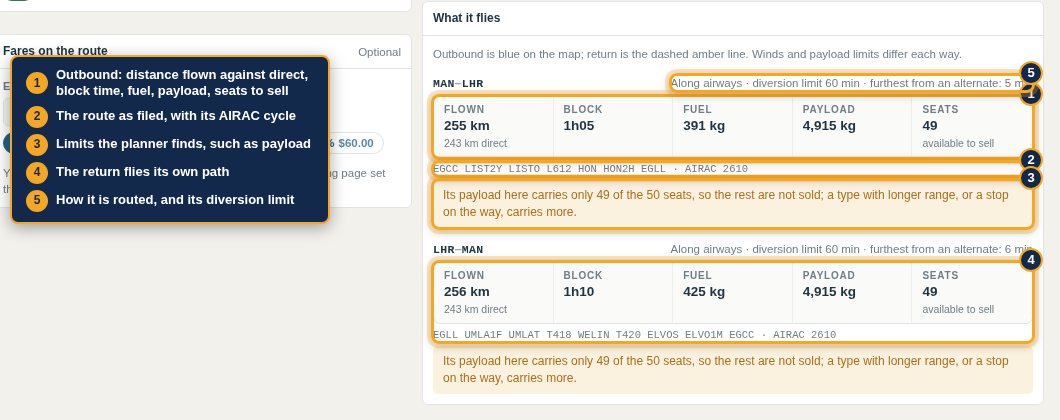
Flights follow real routes, not great circles. Every route is planned by Foley Charts on the AIRAC cycle: out by a departure procedure, along airways, navaid to navaid where there are none, across oceans through whole-degree positions, and in by an arrival procedure. Routes detour around closed airspace, keep overwater and diversion-time limits, and on long routes fly the track the seasonal winds make fastest, so a route can be faster one way than the other. Distance, time and fuel come from the path flown.
Setting your own times
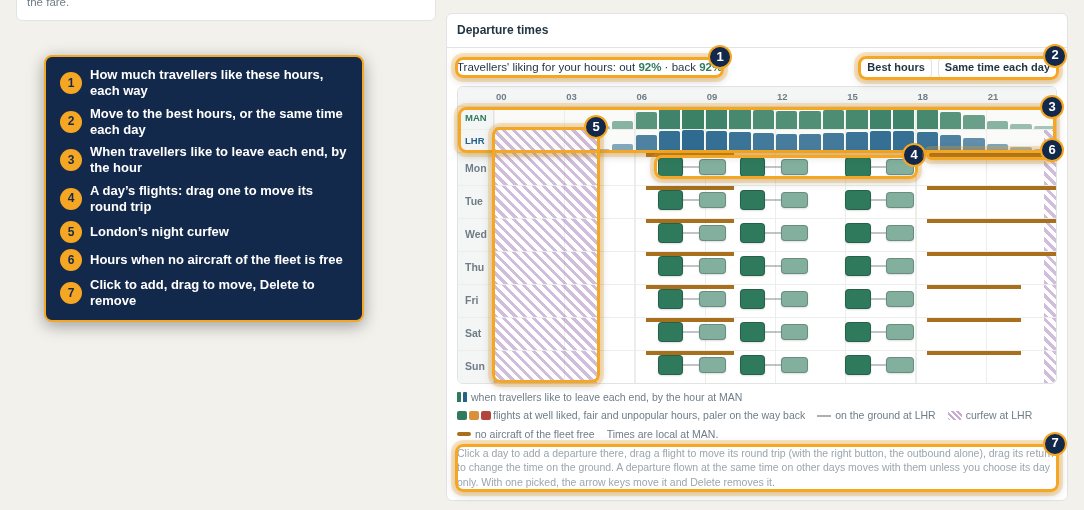
Set them myself in the planner shows the week as a grid: when travellers like to leave each end by the hour, each day's flights, curfews, and the hours no aircraft of the fleet is free. Click a day to add a departure, drag a flight to move its round trip, drag its return to change the time on the ground. Best hours and Same time each day do it in one go.
Demand differs by day of the week and direction, and by time of day in local time: business travellers want mornings and evenings, few want to fly at night. Connecting travellers need workable connection times, so a hub's timetable decides which connections it offers.
Timetables
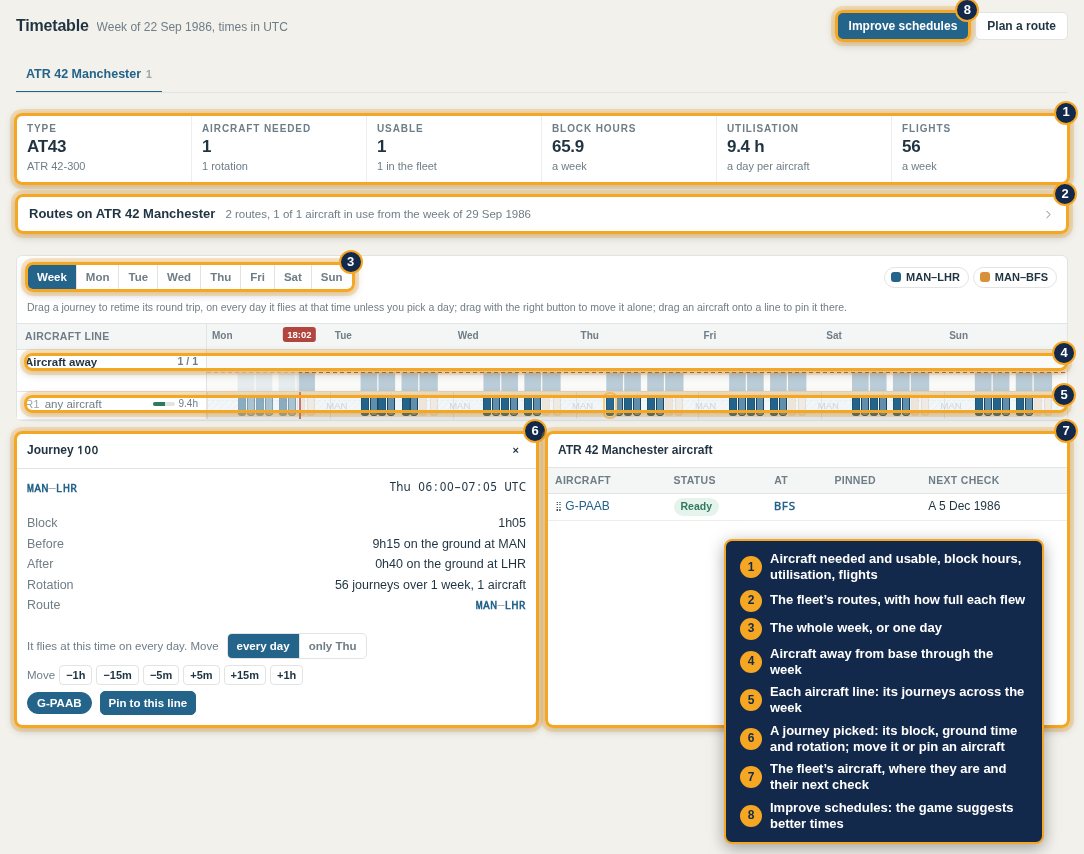
Routes become timetables: each aircraft line across the week, with turnarounds, positioning and checks built in. Timetable shows a fleet's needs against its aircraft, utilisation and the busiest moment of the week, and lets you move journeys or pin an aircraft to a line.
Improve schedules
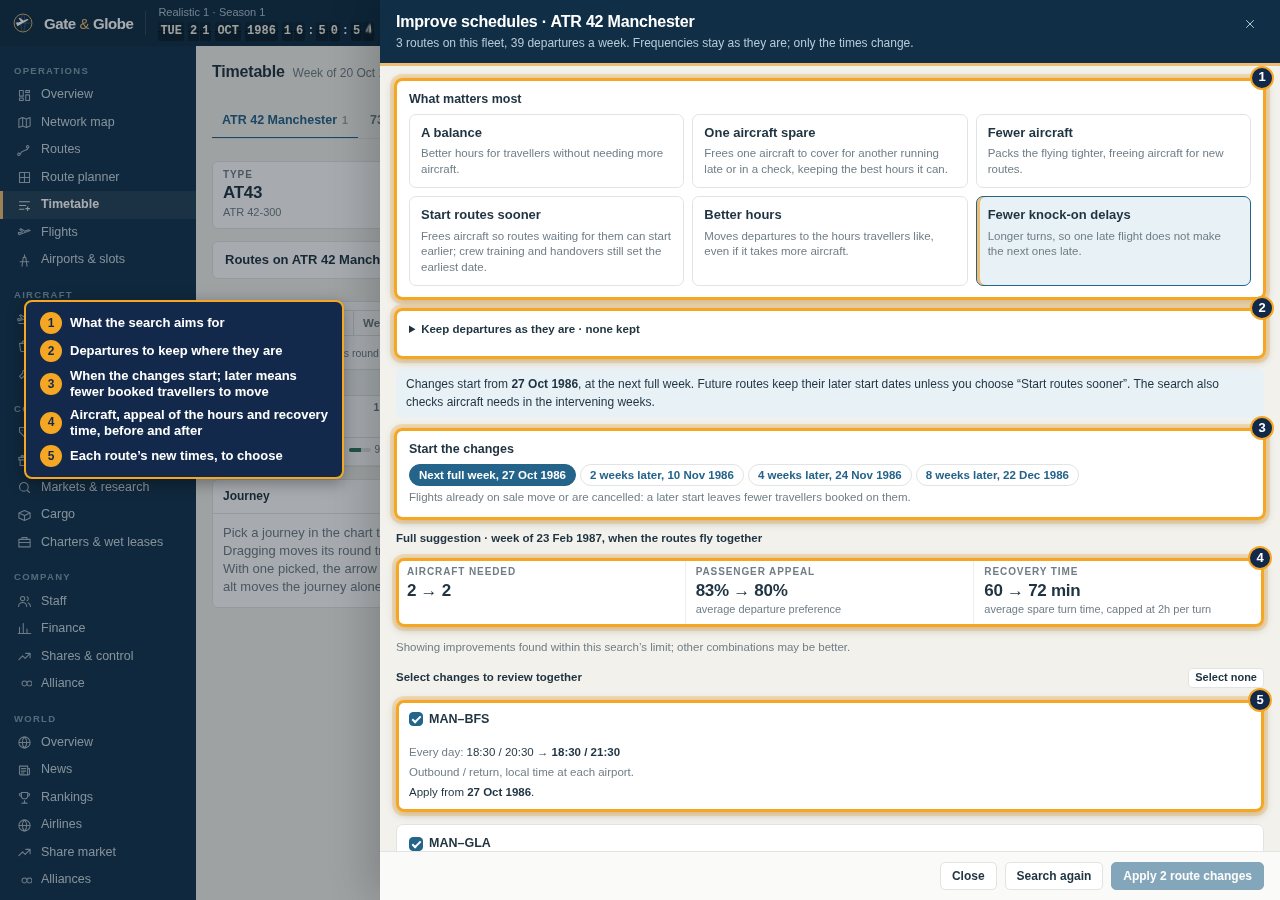
Improve schedules searches for better times for a whole fleet, keeping each route's frequency. Choose what matters: a balance, one aircraft spare, fewer aircraft, starting waiting routes sooner, better hours, or fewer knock-on delays. Keep departures you do not want moved. It shows aircraft needed, the appeal of the hours and recovery time before and after, and each route's new times; choose the changes to apply together and when they start. A later start leaves fewer booked travellers to move.
Changing routes
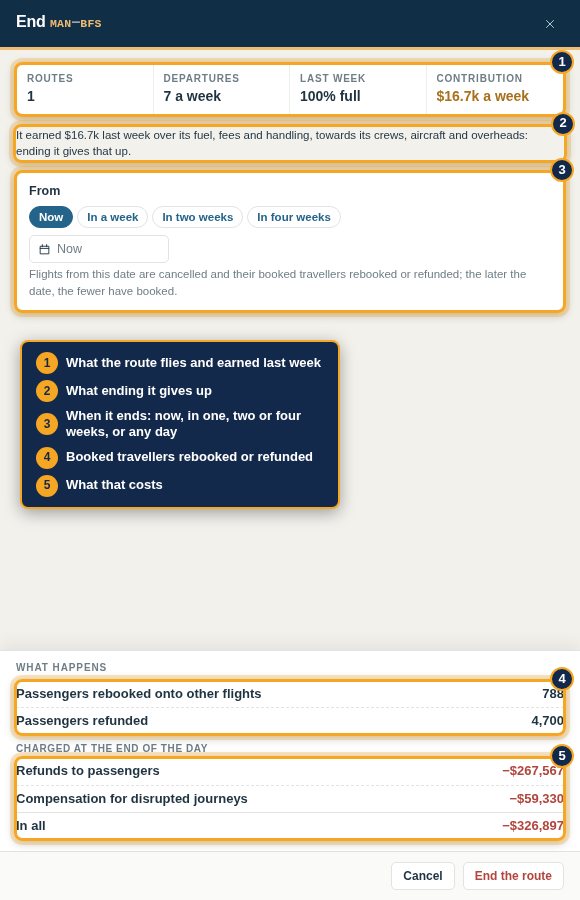
From a route's page: Change reopens the planner, Change frequency shows departures against last week's load, Copy starts a route like it elsewhere, End route stops it. Changes apply from a date you choose. Travellers booked on moved or cancelled flights are rebooked or refunded at a cost in money and reputation, which each sheet states; a stable schedule pays. Travellers respond over weeks, not at once.